KYC is still in an inbox.
Missing information delays the funding request.
Finance operations
Every invoice a client submits is checked in Beezr against their documents, their facility limit and the invoices already funded. Funding is approved against a live limit, and every payment from the debtor lands on the right invoice.
The factoring application exists and can be shown on the discovery call.

Policy checks move between inboxes and spreadsheets.
Missing information delays the funding request.
Manual duplicate checks leave the funding decision exposed.
Funding needs the current facility position.
Control belongs beside the decision.
Follow the invoice through your funding controls.
The supplier completes your document checklist. A reviewer approves onboarding.
Forms capture documents; workflow approvals route KYC review.
The facility carries terms and limits. Connected records calculate exposure and availability.
Connected records compute the facility position.
The invoice links supplier and debtor. Duplicate checks send exceptions for review.
Workflow rules check invoices and route exceptions.
A limit breach blocks funding. Separate roles validate, approve and disburse.
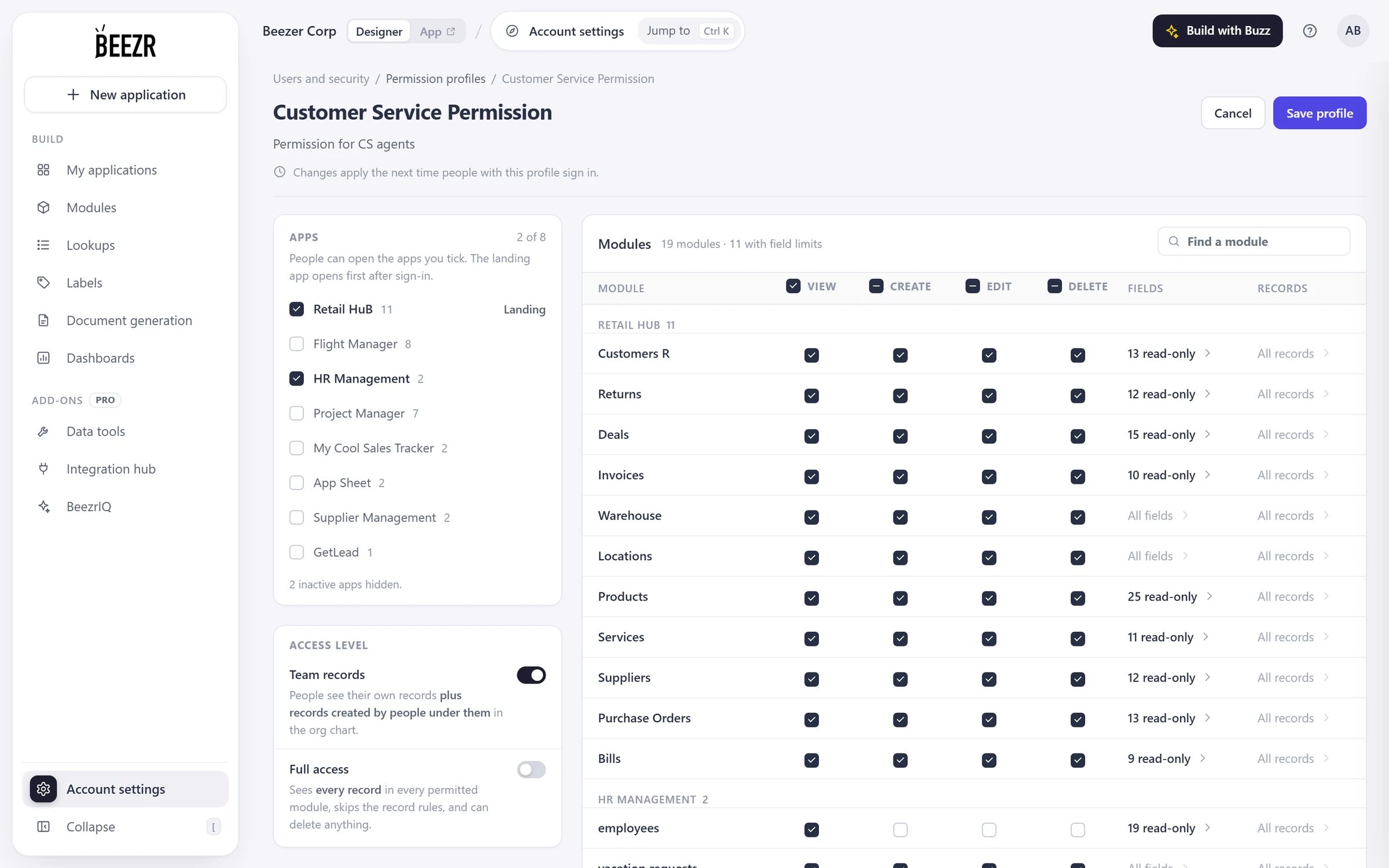
Approval steps route decisions; permission profiles separate duties.
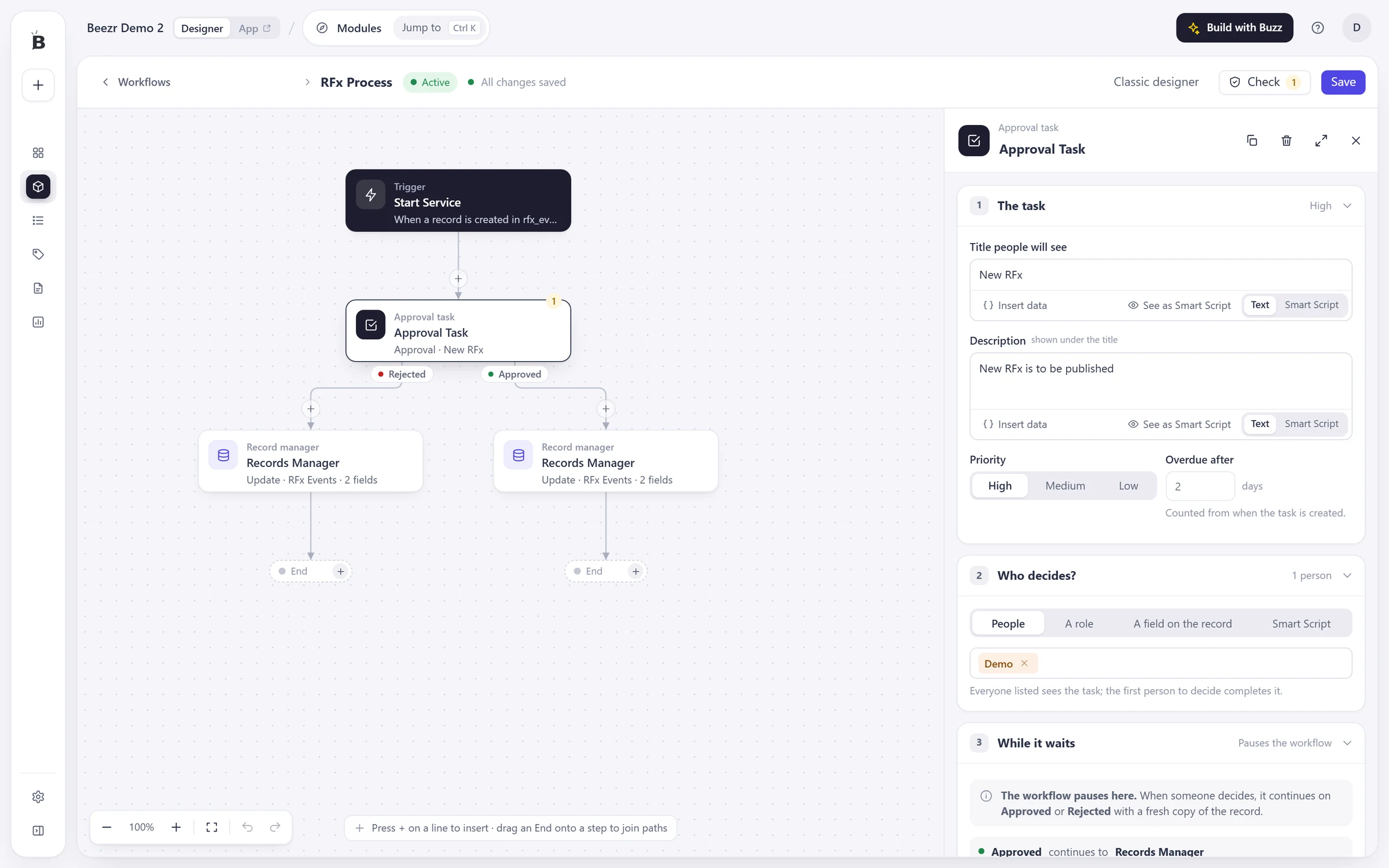
Cash is allocated against invoices. Your rules handle fees and reserves.
Connected cash records carry allocations, fees and reserves.
Treasury controls settlement and reconciliation. Management sees the position and its history.
Role-based reports read connected facility and cash records.
Every cash event changes the same position.
| Before | With Beezr |
|---|---|
| KYC documents chased across messages | A checklist and review on the supplier record |
| Duplicate checks depend on the reviewer | Invoice checks before funding approval |
| Exposure reconstructed after funding | Availability computed from the live position |
| Audit trail rebuilt from inboxes | Actions recorded as the workflow runs |
Compare each option against your control points.
| Question | Packaged factoring software | A custom build | Beezr |
|---|---|---|---|
| Process fit | Evaluate its built-in lifecycle | Specify your lifecycle | Configure your lifecycle |
| Controls | Evaluate the available controls | Build and maintain the checks | Connected limit and duplicate checks |
| Policy changes | Use its supported settings | Change the implementation | Change workflow rules |
| Role separation | Check its permission model | Implement role permissions | Permission profiles and approval steps |
| Connections | Check its available integrations | Build the connections | Integration Hub and REST steps |
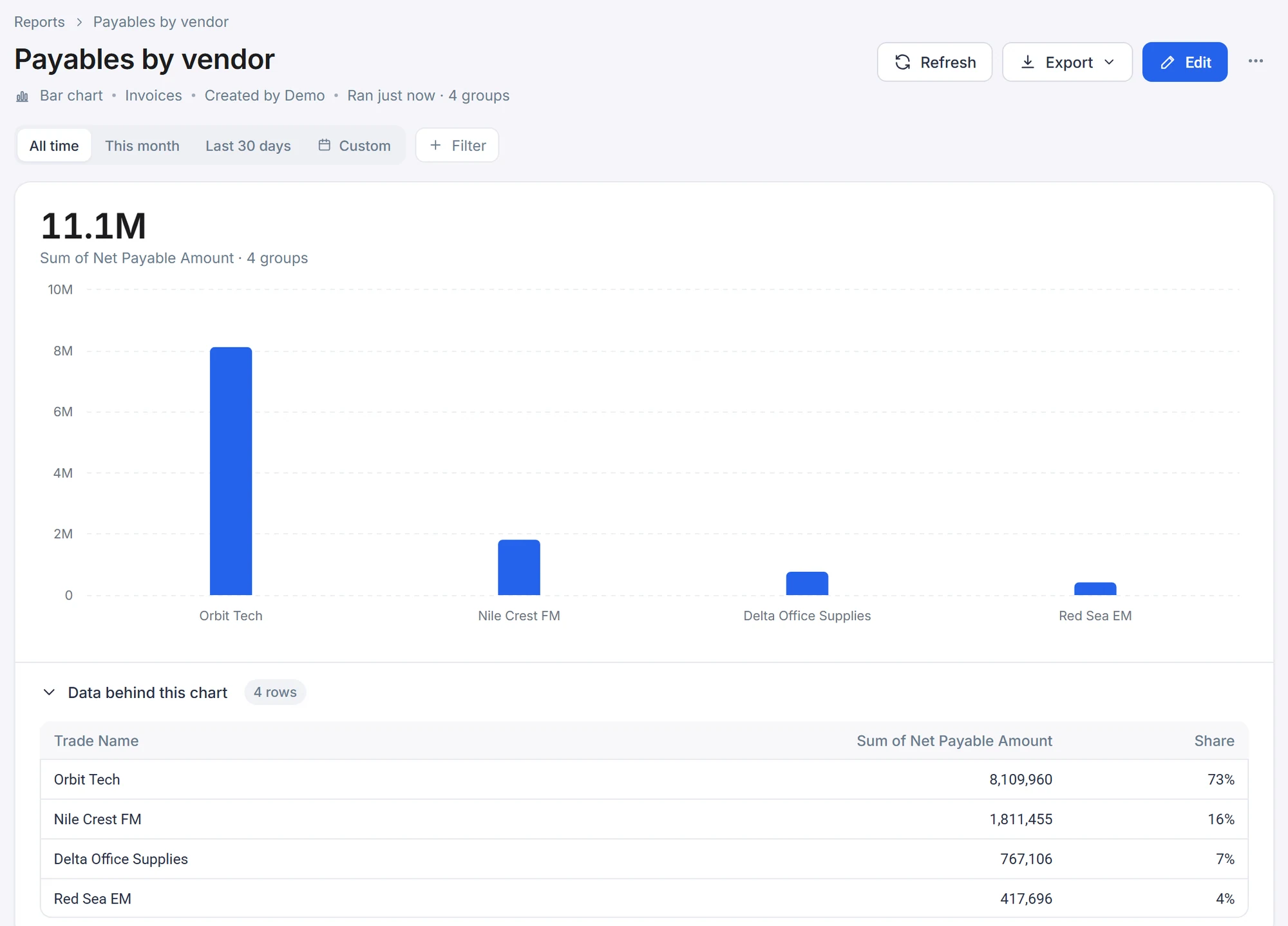
We connect onboarding to funding decisions. Ledgers follow payments. These parts run lending and collections.
Accounting connects through the Integration Hub or a REST step. Systems without APIs use a Web Agent.
Onboarding and KYC
Runs lending and supplier onboarding
Limits and exposure
Supports financing facilities
Case management
Runs collections and disputes
Ledgers
Runs lending and supplier balances
Reconciliation
Runs financing cash events
Approvals
Runs procurement and HR requests
See the build on the discovery call. Explore lending and collections.
We configure your lifecycle. Compare the package against your checklist and facility rules.
Invoices are checked on intake. Duplicates become exceptions before funding approval.
Yes. Separate steps and roles control each action.
Your first process is running in weeks. The next attaches to it.
Yes. Add workflows around the same connected records.
Yes. Import your existing records from Excel.
Yes. Configure approval paths and required information for each.
Yes. Each user chooses Arabic or English, including right-to-left screens.
Yes. The Integration Hub sends messages through an aggregator or your own WhatsApp Business account.
In your Beezr workspace, with field-level access and record history. Beezr Shield adds encryption and sign-on controls.
Bring invoice validation. We configure your controls, running in weeks.
The rest attaches to it.