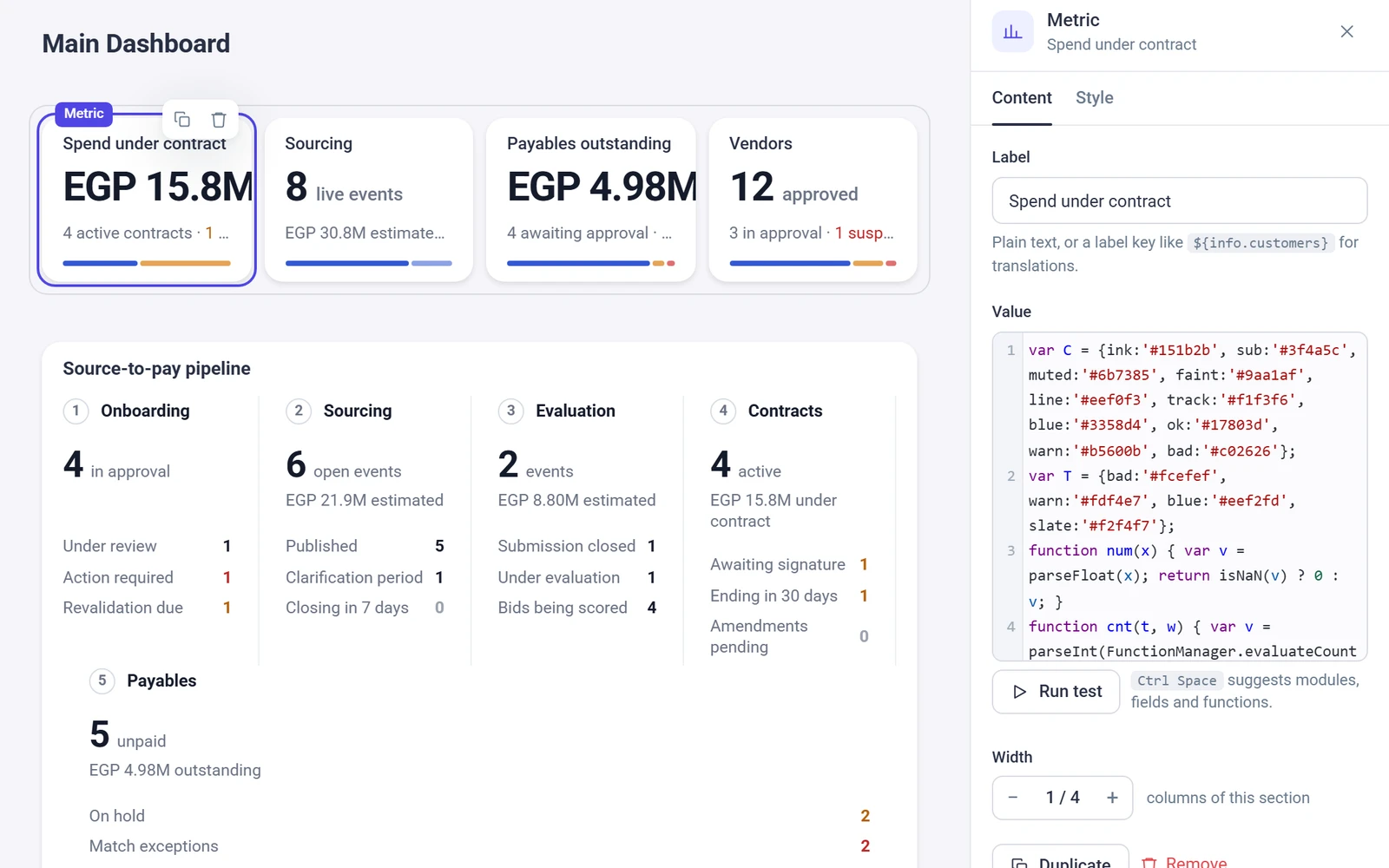
Write your own logic.
Write Smart Script, which is JavaScript on your own records, functions and workflows, inside the same platform.
The Beezr platform
Beezr is a platform for building business applications. Your data, the screens people use, the workflows behind them, integrations, reports, security and AI are all part of it, and they share one foundation. You build the process. The plumbing is already there.
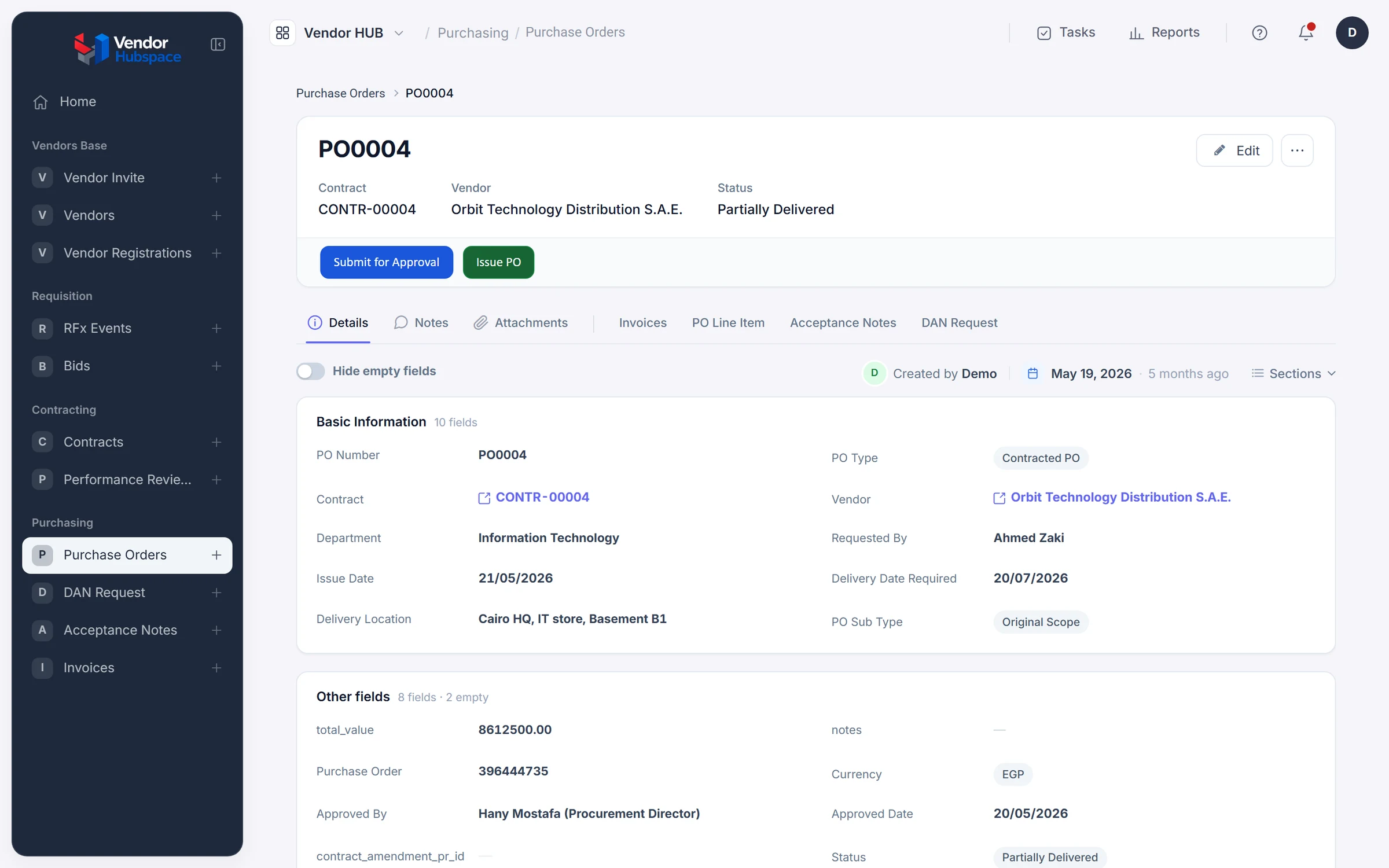
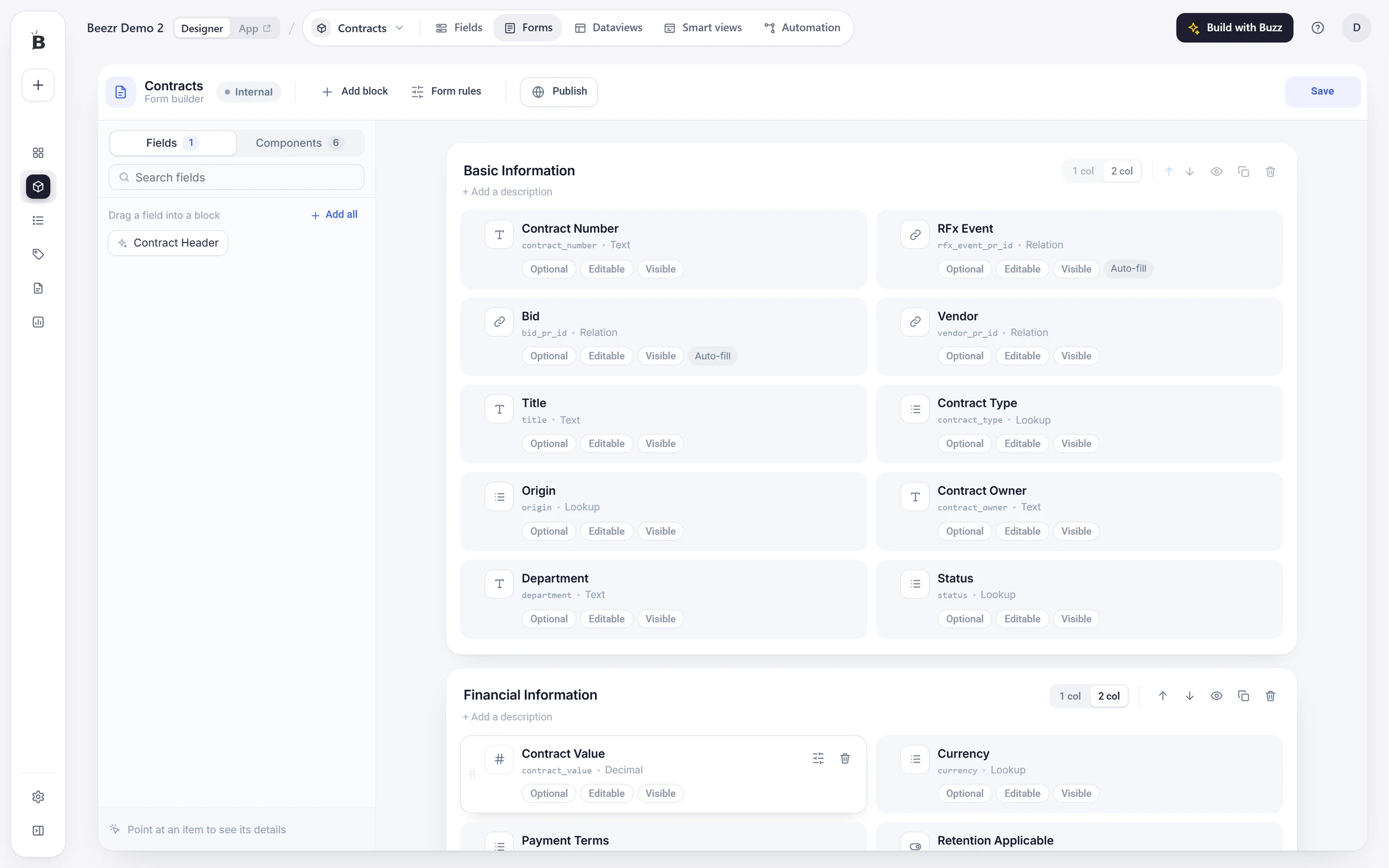
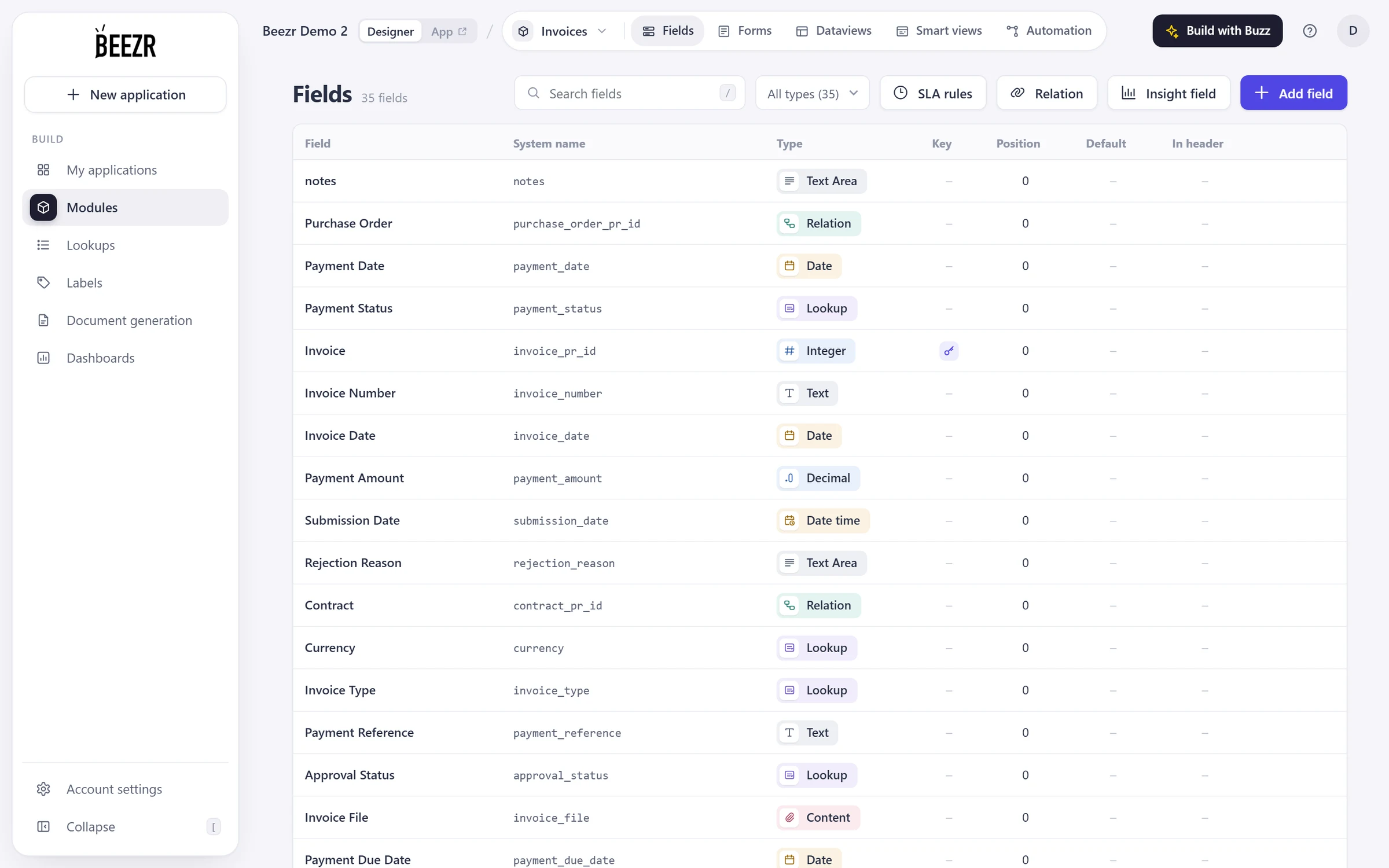
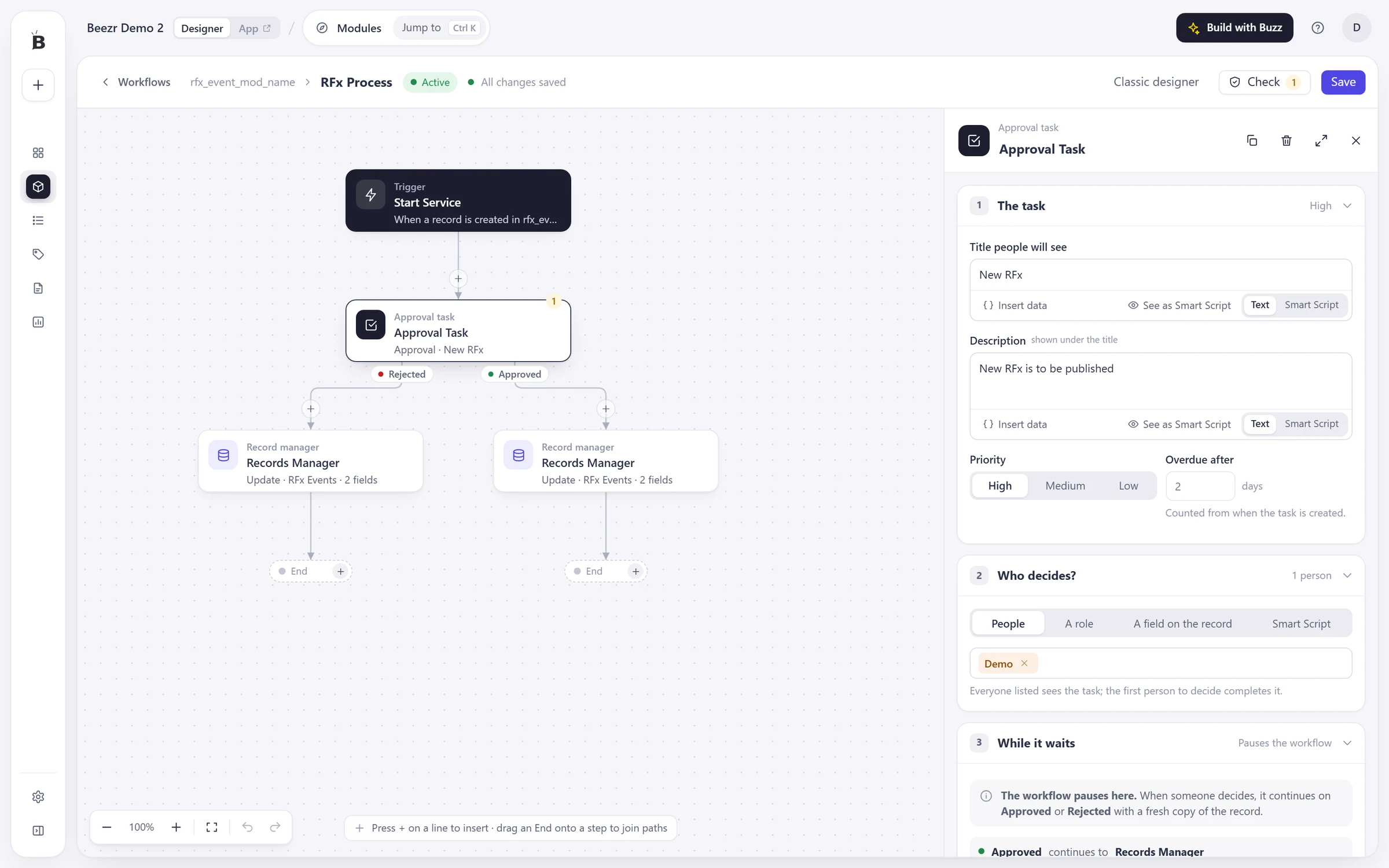
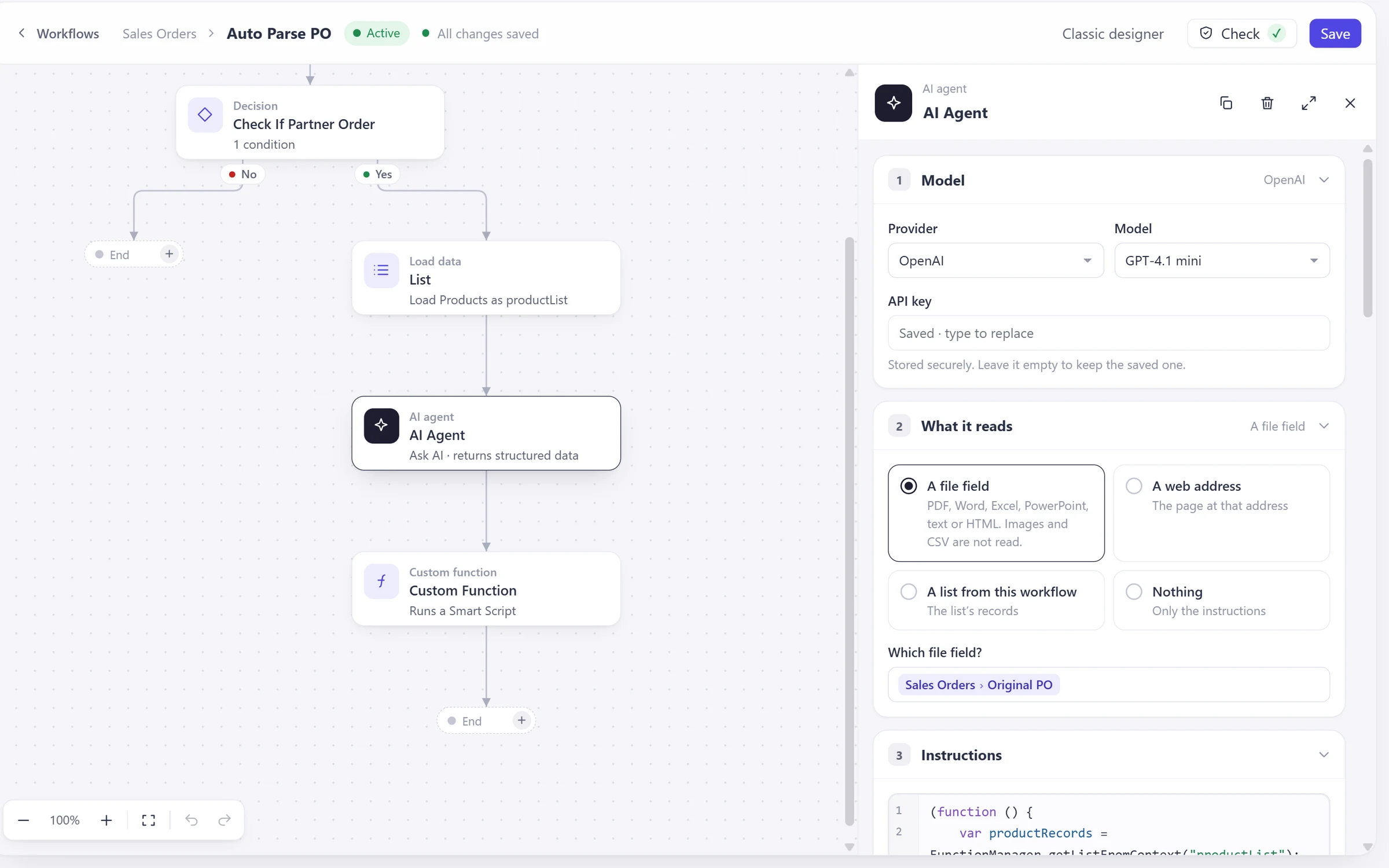
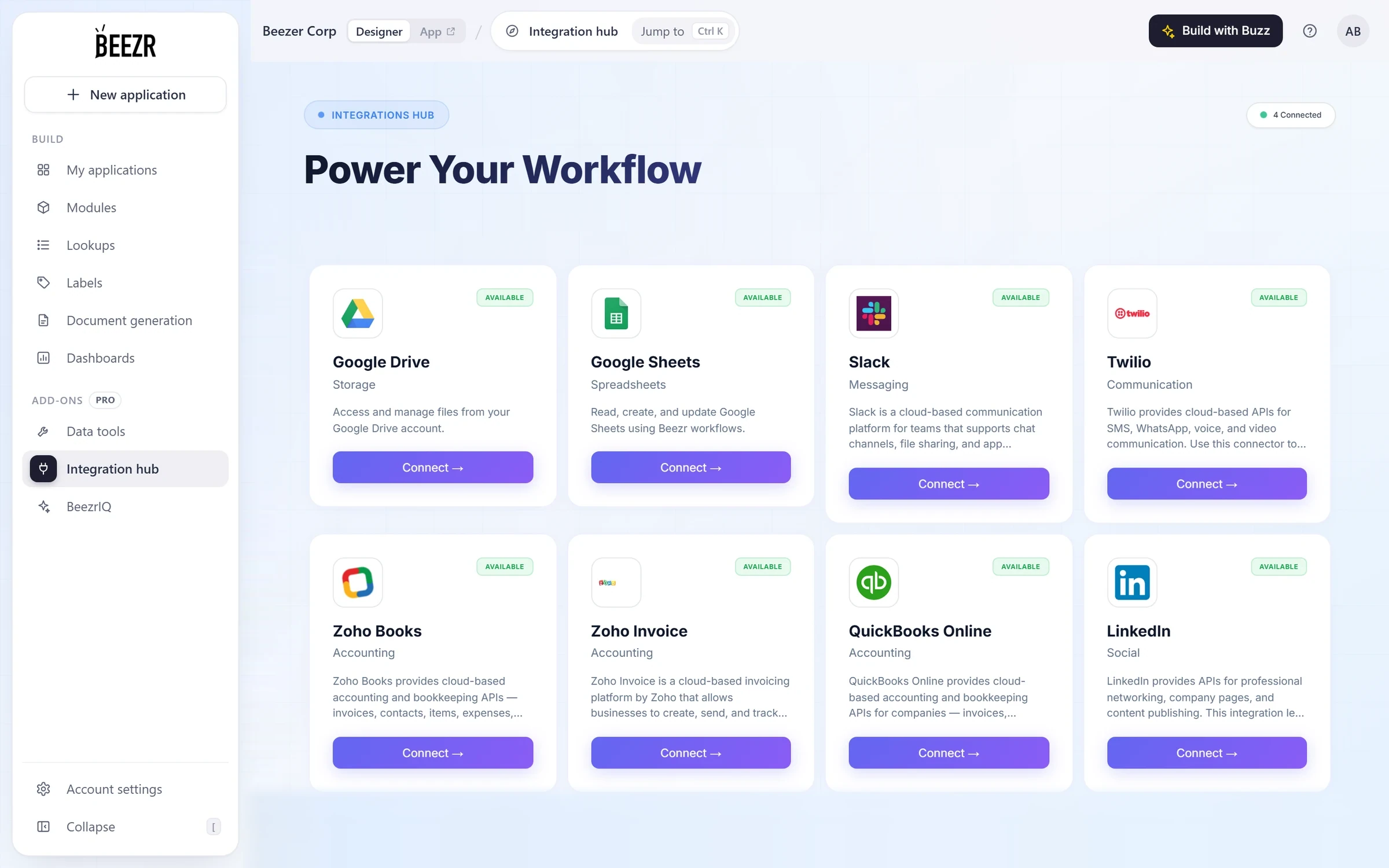
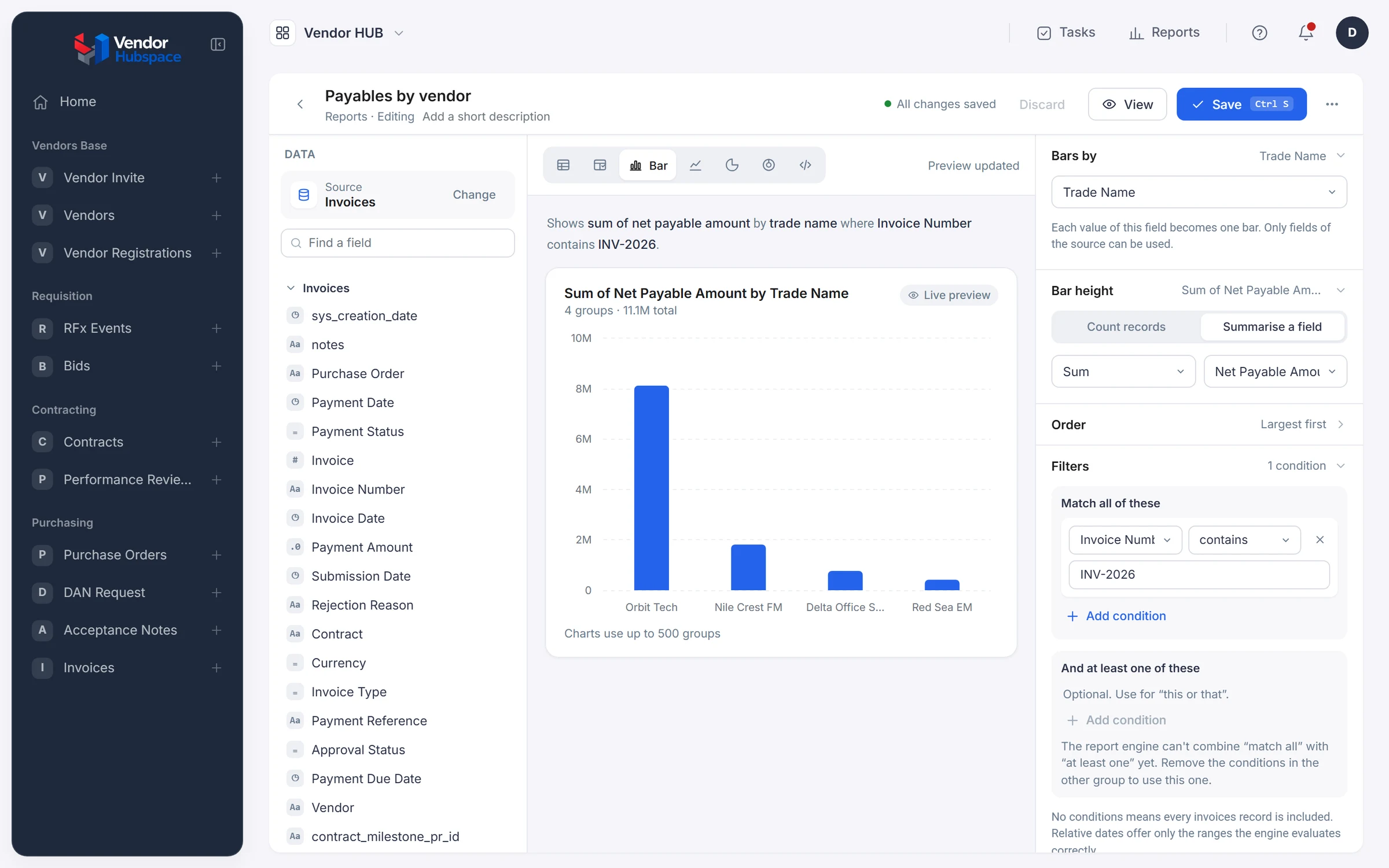
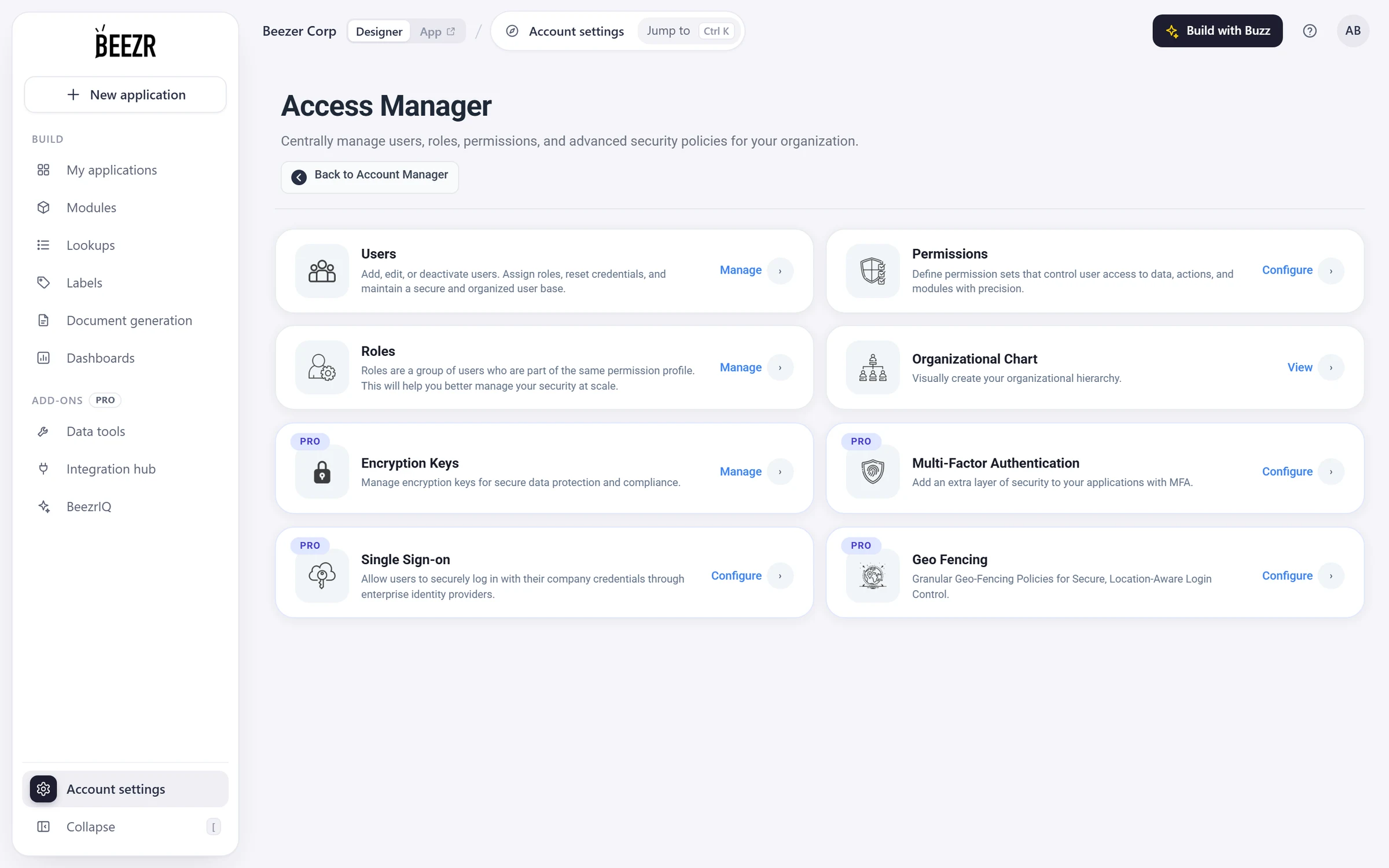
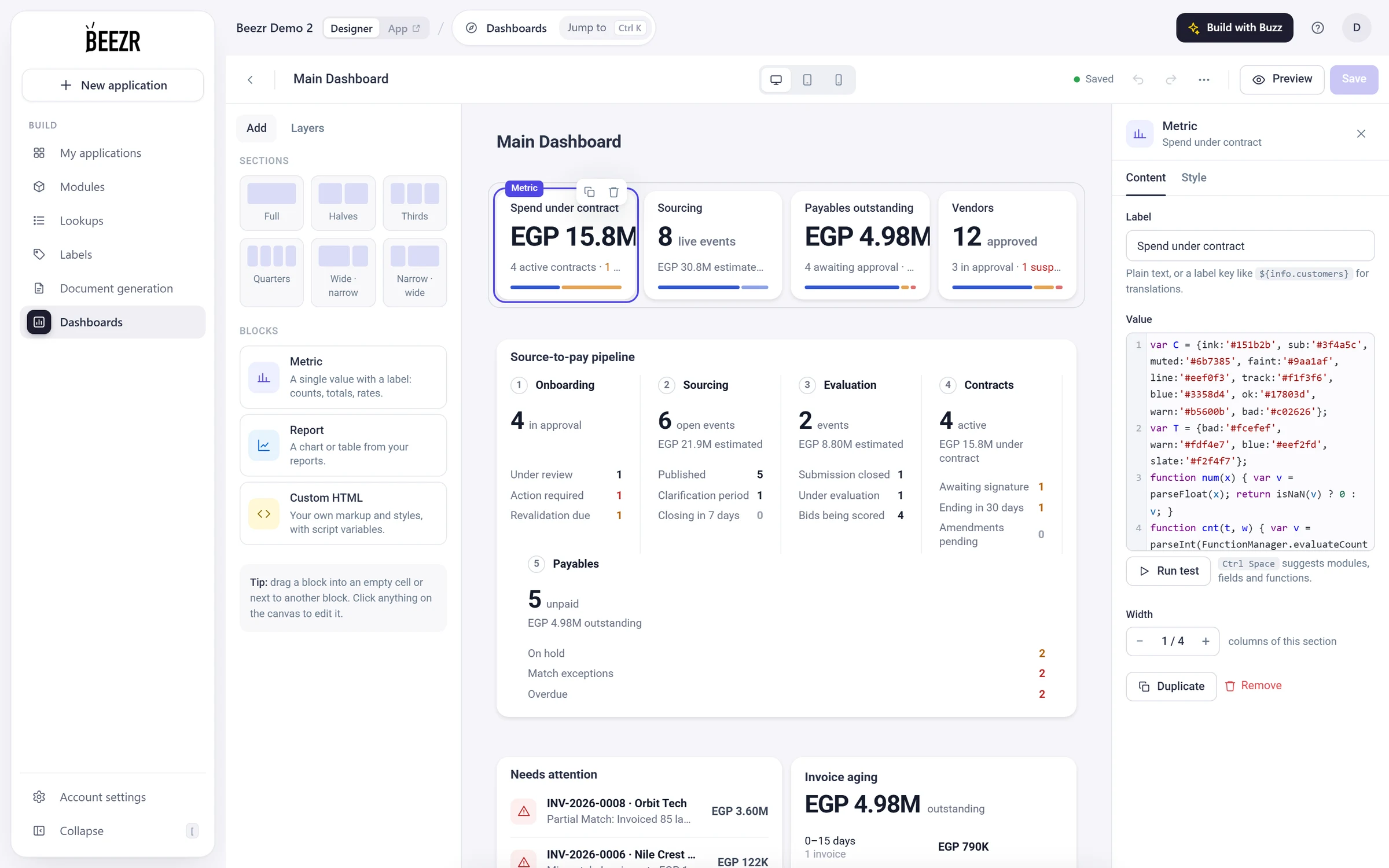
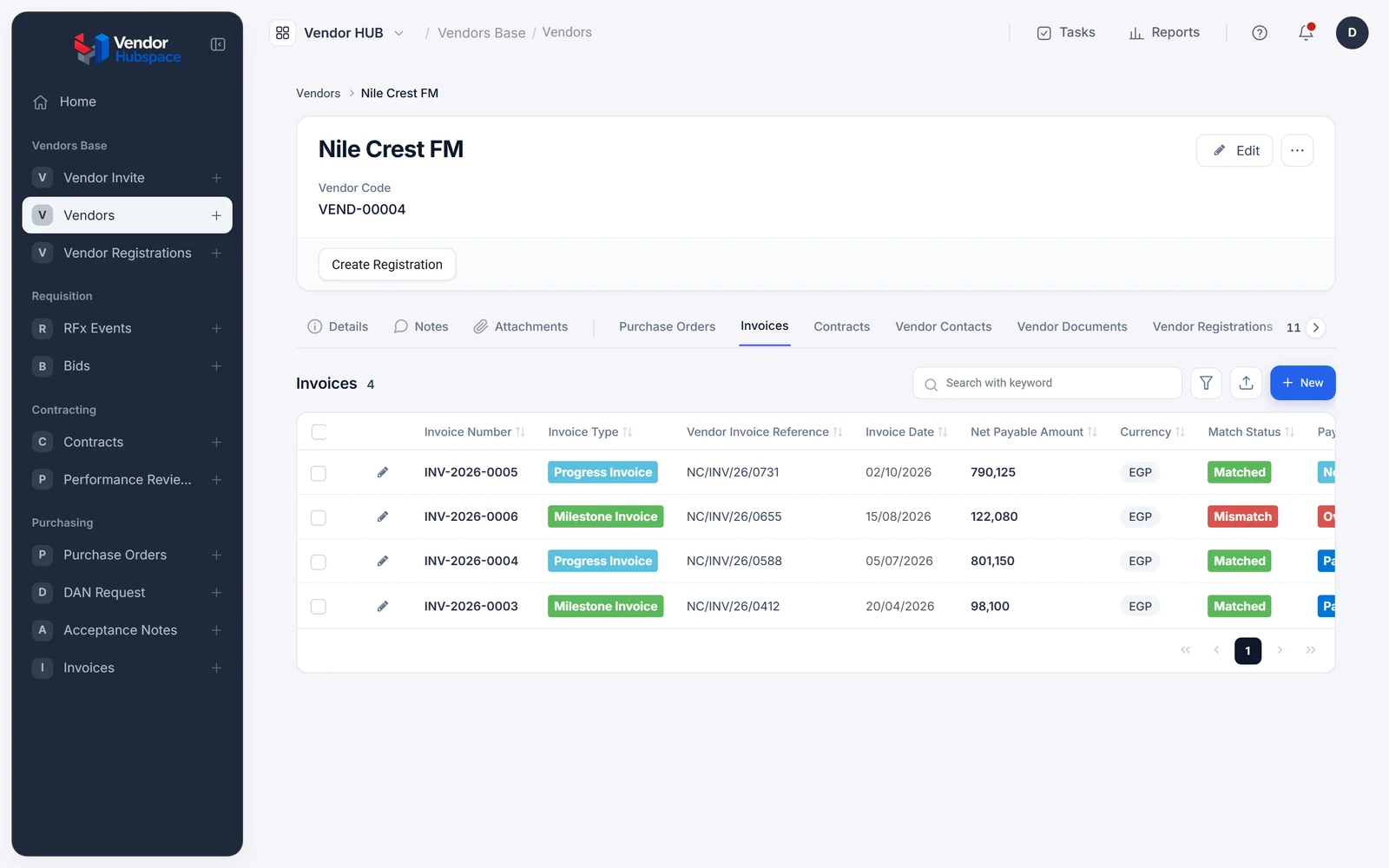
A purchase order in Vendor HUB, built on Beezr. Point at any block on the left to see the part that sits underneath it.
Forms, lists and record pages, shaped around the task at hand.
Data and interfacesYour records and how they relate: suppliers, contracts, purchase orders.
Data and interfacesDraw how work moves. Every action has a defined next step.
Workflows and approvalsAn AI step reads a document or your records and hands the result to the next step.
AI in workflowsReady connectors, REST API steps, and Web Agents that work through websites.
IntegrationTables and charts on the same records, placed on dashboards.
Reports and dashboardsAccess by application, module and record, and per field on forms.
Security and governanceWrite your own logic in Smart Script on your records, functions and workflows.
For developersShape the data, screens, access and workflows around the way your team works. How this compares with spreadsheets, ready-made software and a custom build →
Write Smart Script, which is JavaScript on your own records, functions and workflows, inside the same platform.
One foundation. A supplier is one record, and every screen, workflow and report reads that same record.
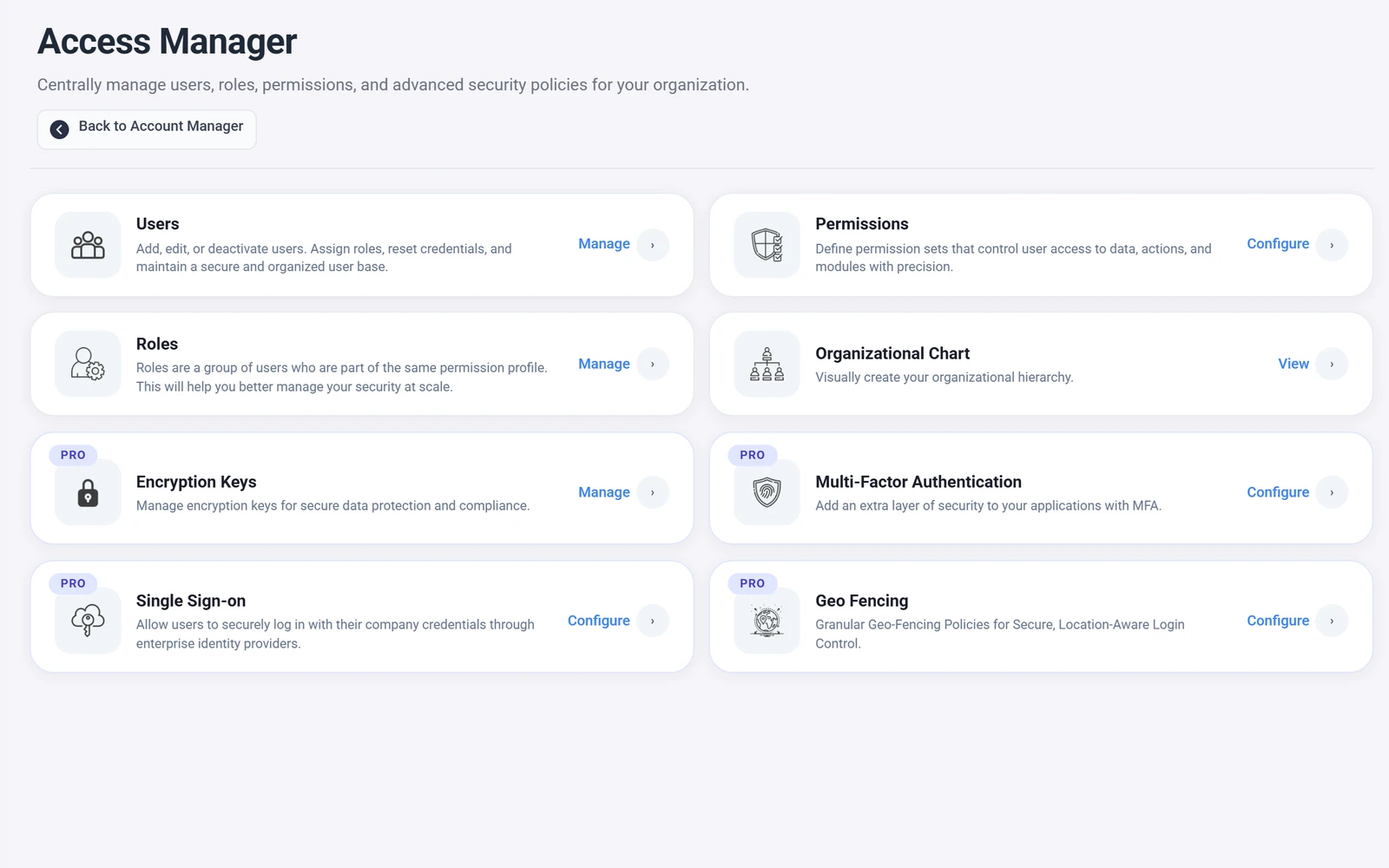
Permission profiles control applications, modules, records and the fields on forms. The Access Manager also provides OIDC single sign-on, email one-time-code sign-in, geo fencing and encryption keys.
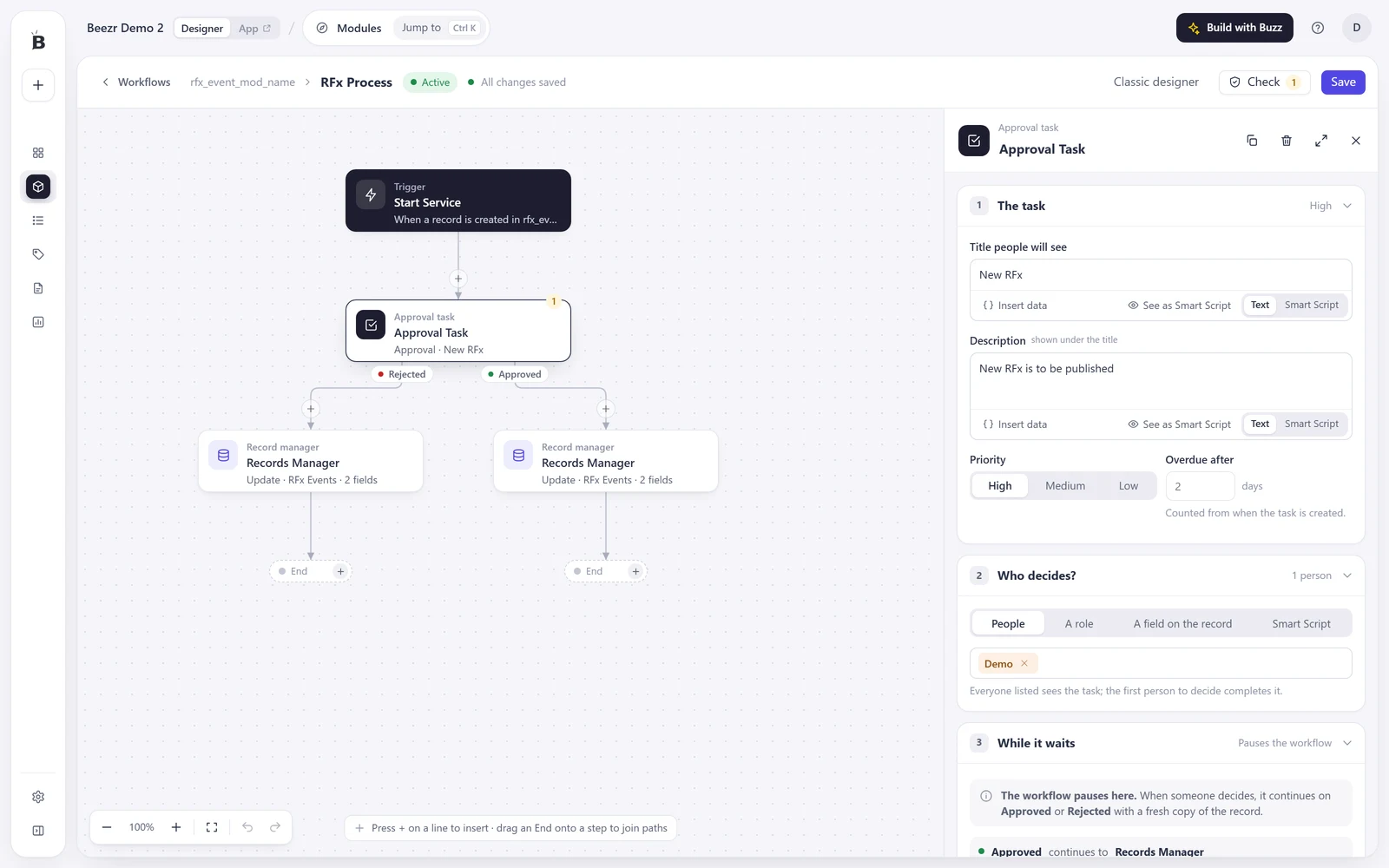
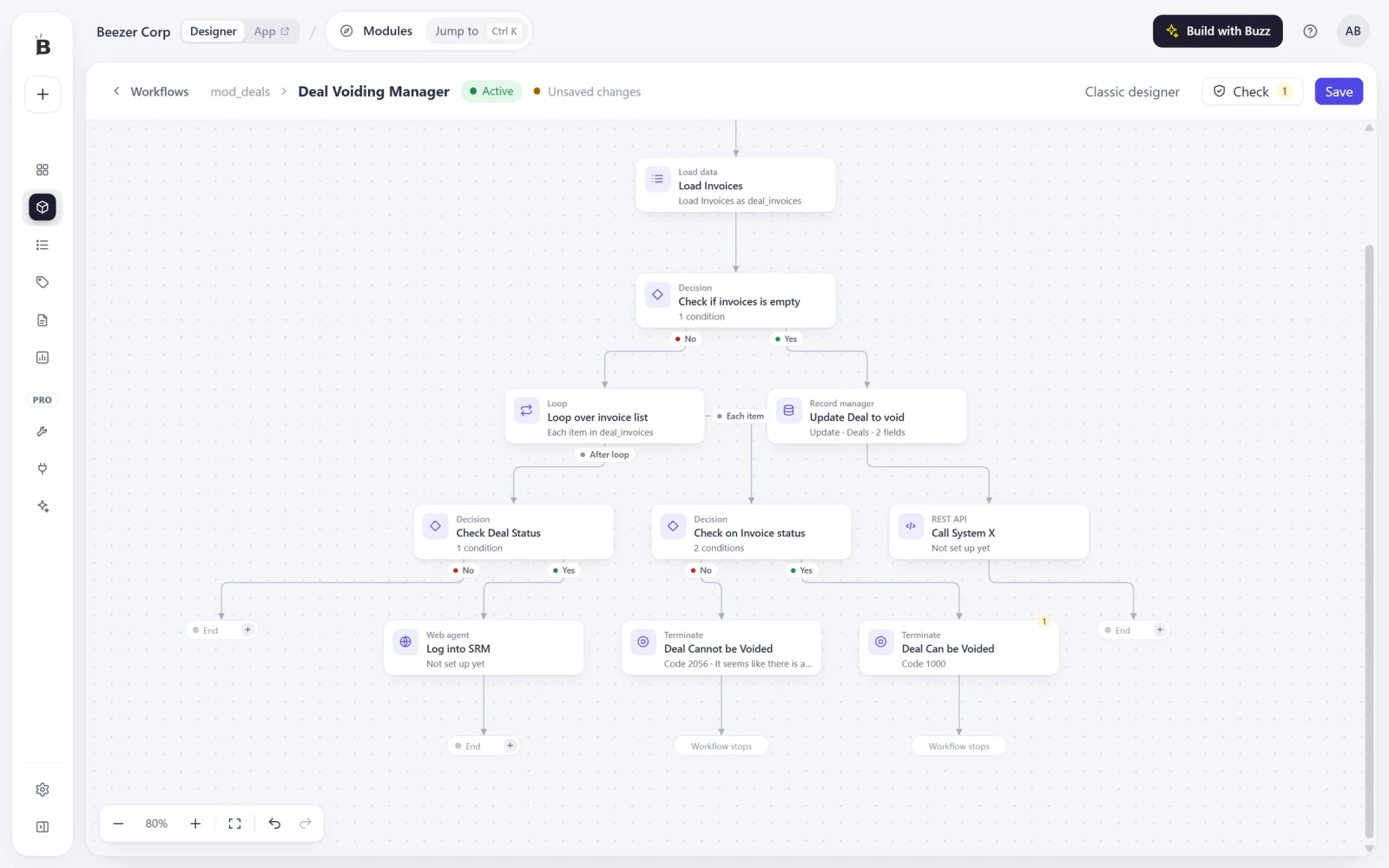
A workflow is a drawing you can edit while the application runs. Change one step and the next record follows it.
Connectors, REST API steps and Web Agents connect out. Webhooks and API keys let other systems call in. Data exports are emailed as Excel, and report results download as CSV.
This is a real contract record from Vendor HUB. Point at a button, a status or a field to see the Designer setting that defines it.
Purchasing and Inventory use the same suppliers and the same purchase orders. Inventory adds what it needs and reuses the rest.
One page for each part, with real screens and the tools you can configure.
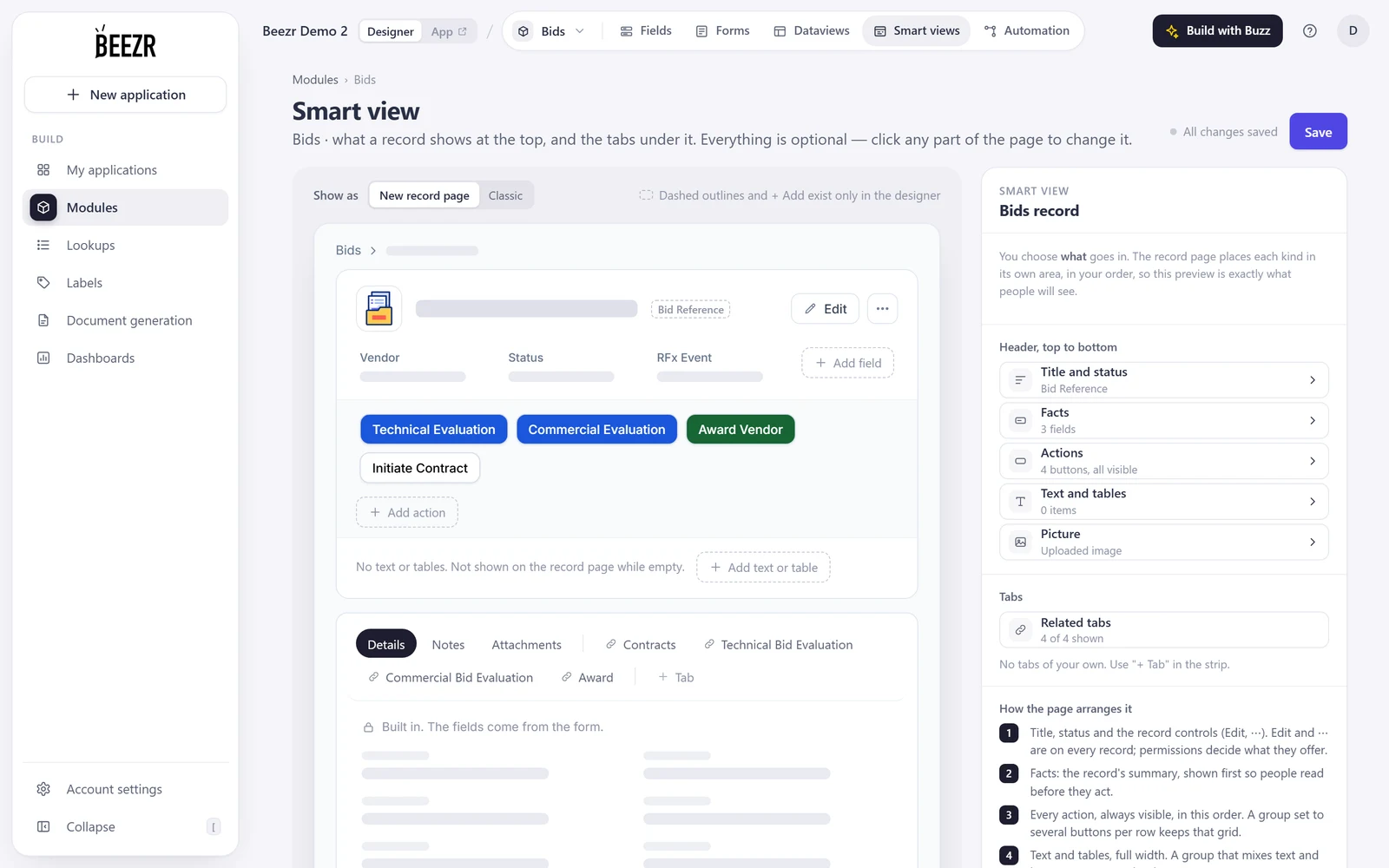
Records, fields, relations, forms and the record pages your teams work in.
Open the page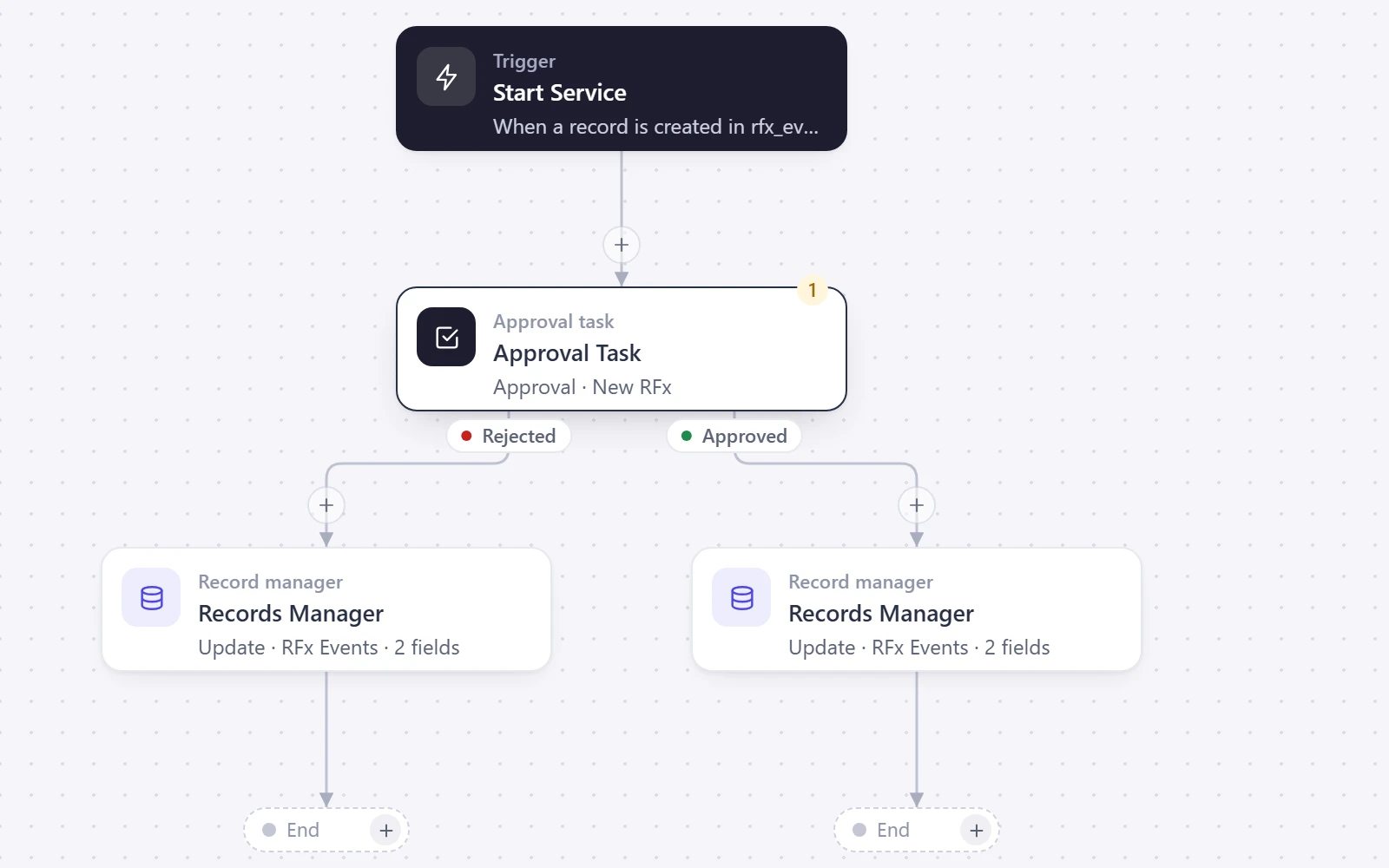
Draw how work moves, who approves and what changes in the record.
Open the page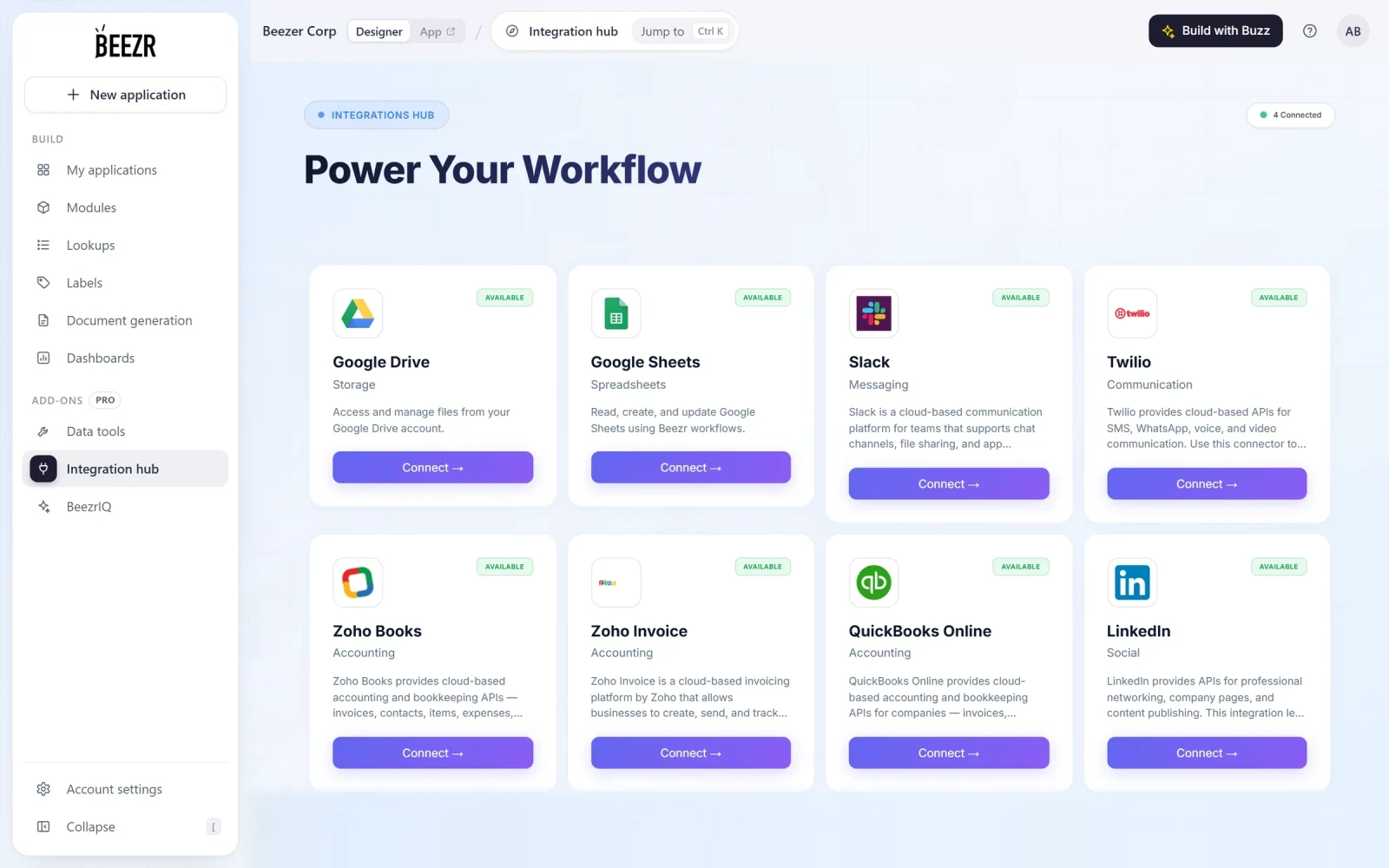
Ready connectors, REST API steps, and Web Agents that work through websites.
Open the page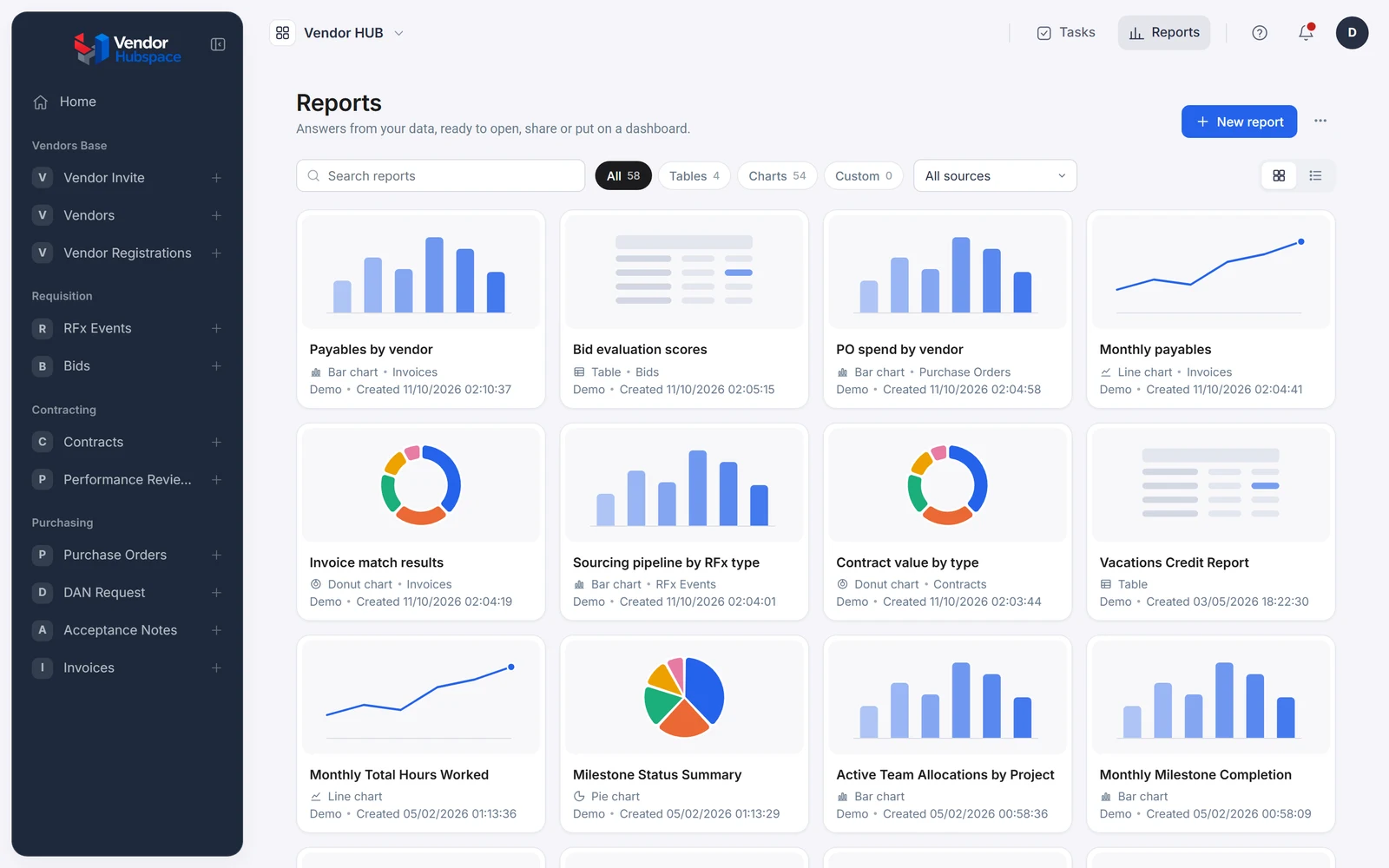
Reports on the same records, with fields from related records, placed on dashboards.
Open the page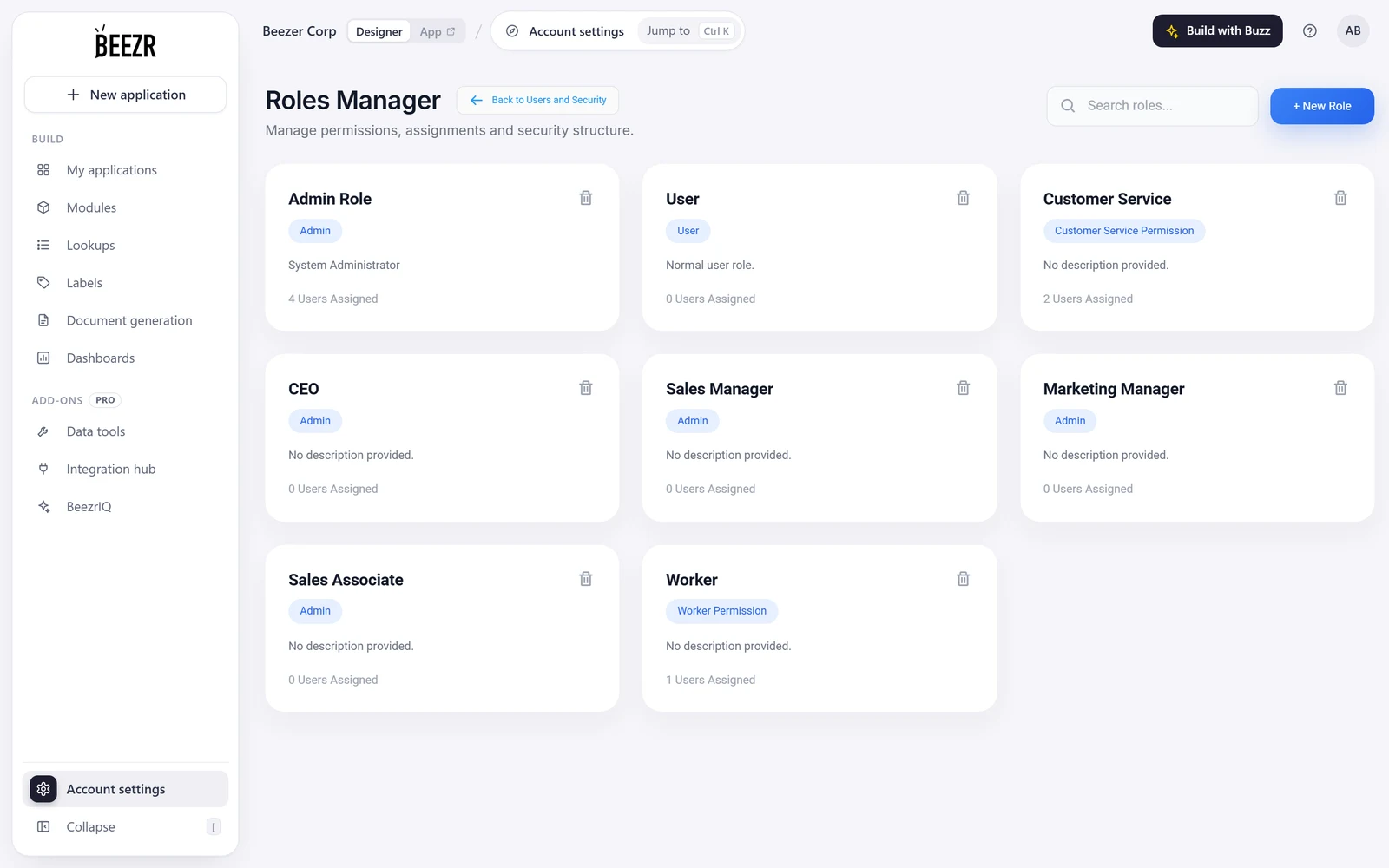
Roles, permissions, OIDC single sign-on, email one-time-code sign-in and encryption keys.
Open the page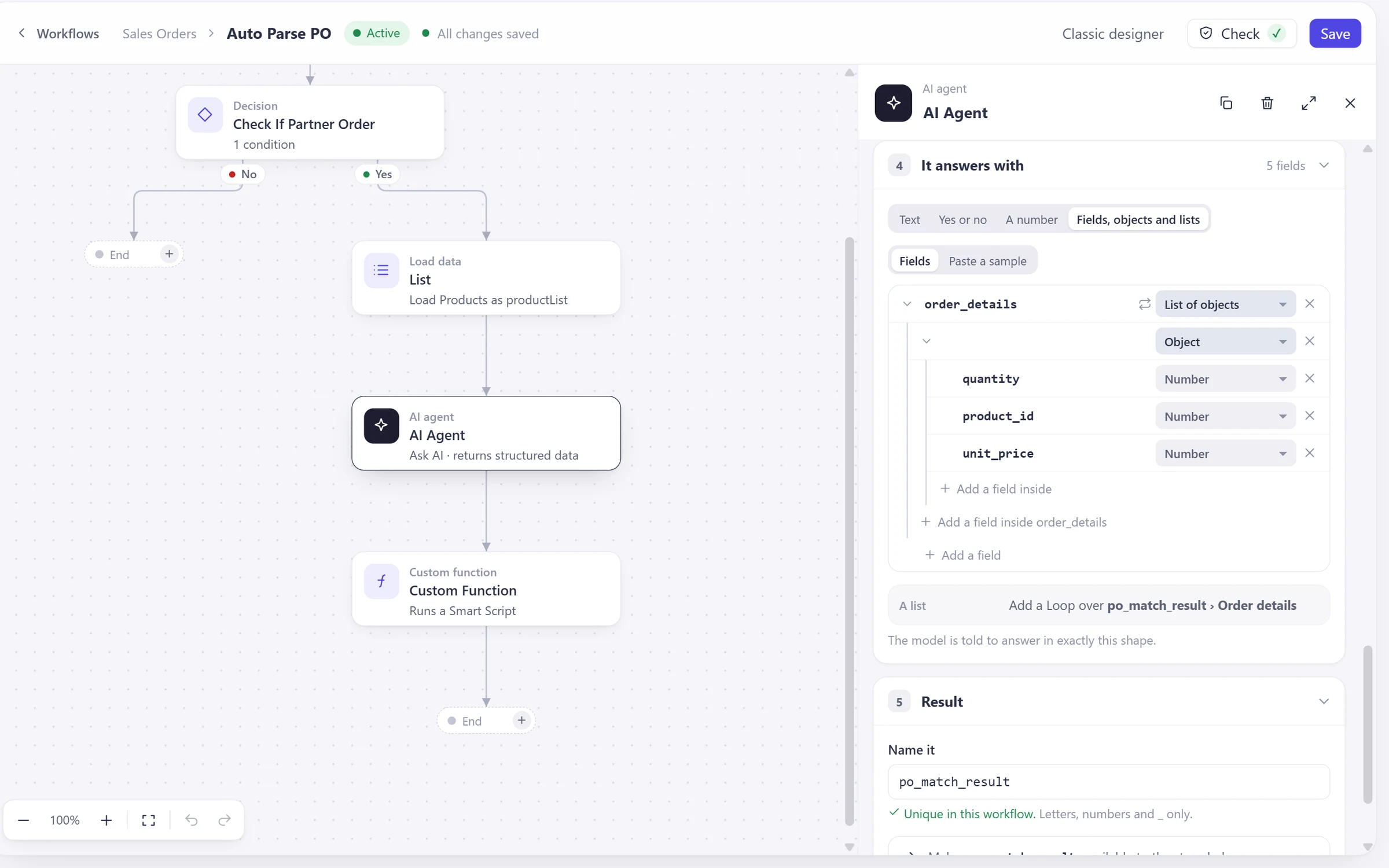
An AI step reads a document or your records and hands the result to the next step.
Open the page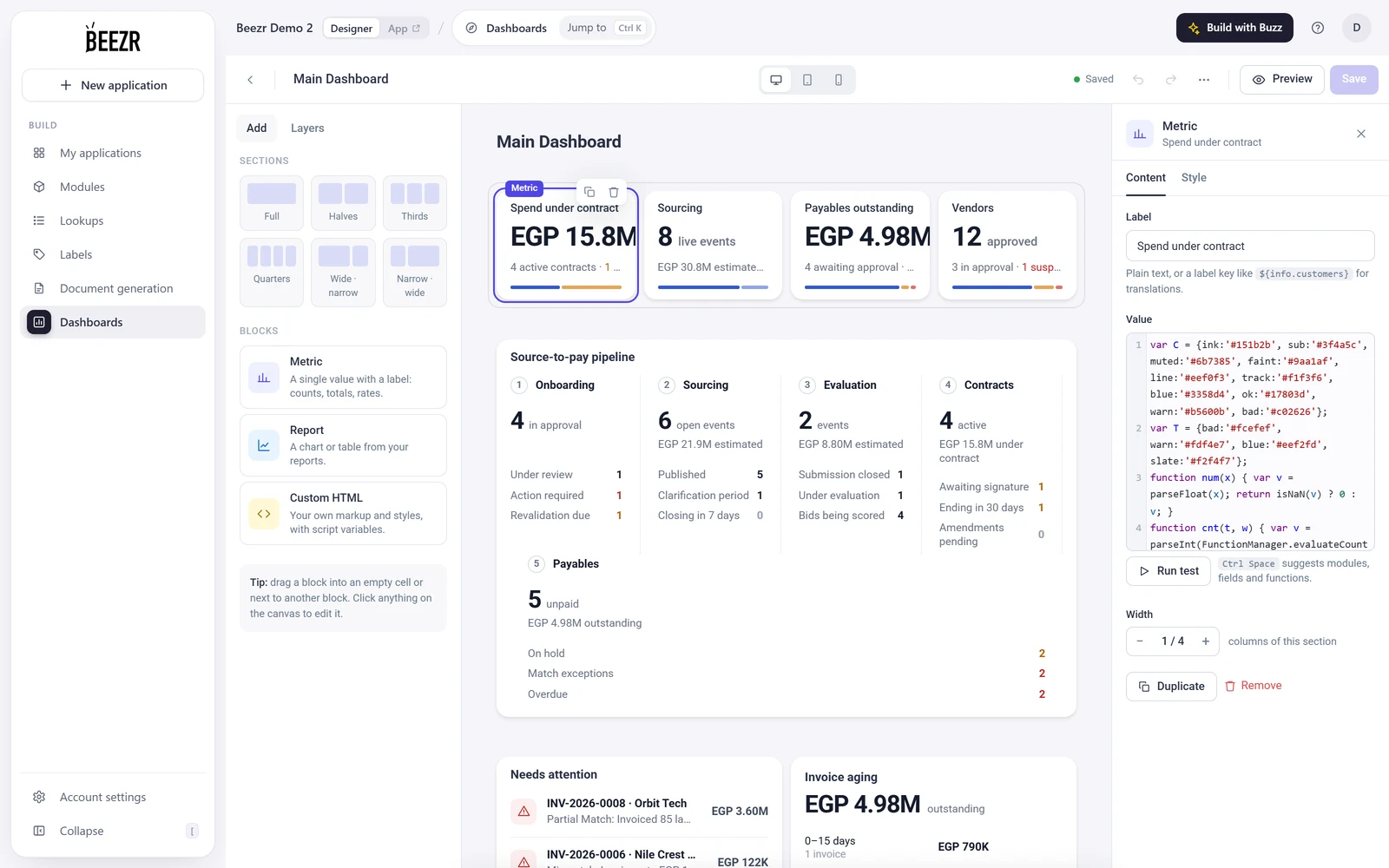
Smart Script: JavaScript on your own records, functions and workflows.
Open the pageThree short recordings from the Designer and from the application it produces.
A form in the Designer: Contract Number, RFx Event, Bid and Vendor fields. Then the contract record your team uses.
The approval step of a workflow. Open it, set its priority and when it goes overdue. Then the RFx events list in the application.
Modules grouped into the application menu in the app builder. Then a vendor record, with its purchase orders on a tab.
I started using Beezr for almost a year now, and I can describe it simply as the “Ultimate Grand Workshop of computerizing” anything there can be automated and computerized. There are tools in every corner of it allowing you to create whatever you need to do, at any level of simplicity or sophistication. Thank you guys, and really appreciate your quality work.
 Ossama FattalCEO & Founder
Beezr is a platform for building business applications. It is low-code: a visual foundation with native JavaScript. Most of an application is configured in the Designer, and when a rule is easier to write than to draw, you write Smart Script.
Applications that run a process from the first request to the last report: procurement, finance approvals, sales and inventory, and others. Vendor HUB, the application shown on this page, covers requests, bids, contracts, purchase orders and invoices.
Most of an application is built with visual tools: fields, forms, workflows and reports. Workflows are edited in the Designer. Smart Script adds custom logic to your records, forms and workflows.
It starts with what the first one already has. Suppliers and purchase orders stay one record each, and the new application reuses them, as in the illustration above. You add the forms and workflows for the new process and report on the related records.
In three ways. Ready connectors in the Integration Hub, REST API steps inside any workflow, and Web Agents that open pages, fill fields and click through websites. The Integration page shows each one.
By application, module and record, and per field on forms, through roles and permission profiles you set. The Access Manager also holds users and the org chart. Encryption keys, email one-time-code sign-in, OIDC single sign-on and geo fencing are configured in the Access Manager. The Security and governance page shows the settings.
Yes. Beezr supports English and Arabic. Labels are translated per language, and the Data and interfaces page shows an Arabic screen.
Show us the process you are trying to improve. We will tell you whether Beezr looks like a fit and how we would approach it.